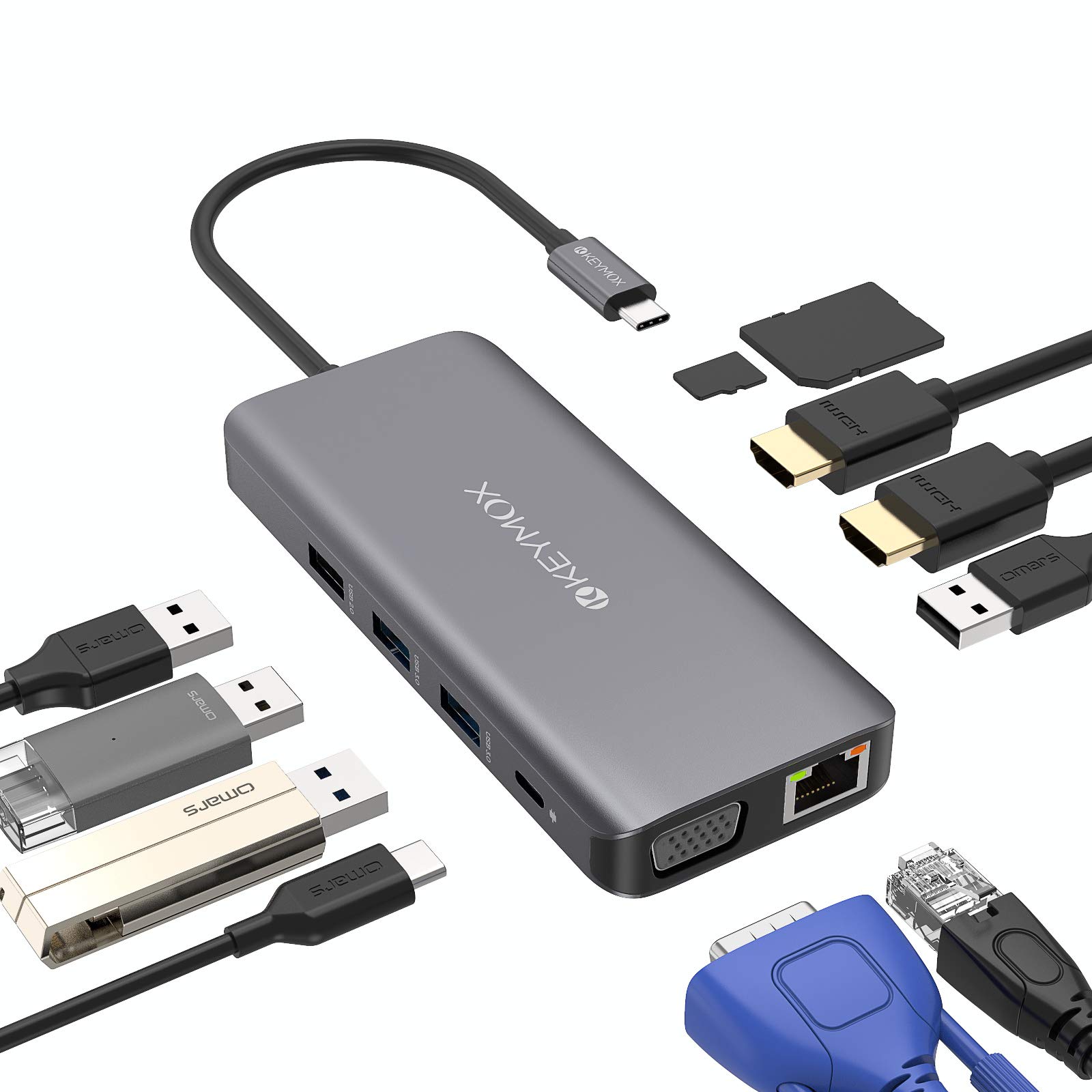
The KEYMOX USB-C Laptop Docking Station is a compact hub that aims to solve the perennial problem of limited ports on modern laptops. It’s an 11-in-1 adapter that adds a range of connections, including triple display output via two HDMI ports and one VGA, along with Ethernet, USB-A ports, SD/TF card readers, and 100W power delivery. In practice, this dock is best suited for users who need to connect multiple monitors to a single USB-C laptop, such as a Dell XPS or MacBook Pro, without carrying a bulky docking station.
Setting it up is straightforward: plug the USB-C cable into your laptop, and the dock instantly becomes a hub for peripherals. The triple display feature works well for productivity tasks, allowing you to extend your desktop across three external monitors at up to 4K resolution (though note that only one HDMI supports 4K at 60Hz; the other is limited to 30Hz, which can feel less smooth for fast-moving content). The VGA port is a nice addition for older projectors or monitors, but it’s limited to 1080p. For typical office work—spreadsheets, web browsing, or coding—the display output is adequate, but gamers or video editors may notice the refresh rate limitations.
Key functional features include:
- Triple display support: Dual HDMI (one 4K@60Hz, one 4K@30Hz) plus VGA (1080p@60Hz). This allows for a three-monitor setup, but bandwidth constraints mean you cannot run all three at 4K simultaneously.
- 100W Power Delivery: Passes through up to 100W to charge your laptop, though the dock itself consumes some power, so expect around 85-90W available. This works for most ultrabooks, but heavy gaming laptops may need more.
- 1Gbps Ethernet: Reliable wired networking, which is a solid addition for stable connections in offices or homes with weak Wi-Fi.
- Four USB-A ports: Two at 5Gbps and two at 480Mbps. The slower ports are fine for keyboards or mice, but not for fast file transfers.
- SD and TF card readers: Useful for photographers or drone users, though the transfer speeds are not blazing fast—enough for occasional use.
One limitation worth noting is the lack of an HDMI 2.1 port or higher refresh rates beyond 60Hz. If you’re using a high-refresh-rate monitor (120Hz or above), this dock won’t support it. Also, the build quality is decent but not premium—the plastic casing feels a bit lightweight, and the cable is short (about 6 inches), which may require the dock to sit close to your laptop. Over time, the USB-C connector might wear from frequent plugging and unplugging.
Compared to a more expensive Thunderbolt dock, like those from CalDigit or Anker, the KEYMOX is a budget-friendly alternative. Thunderbolt docks offer higher bandwidth (40Gbps vs. 10Gbps), enabling faster data transfers and support for multiple 4K displays at 60Hz, but they cost two to three times as much. The KEYMOX is a good middle ground for users who don’t need the absolute best performance and are okay with some trade-offs in speed and refresh rates.
Who is this for? It’s ideal for remote workers, students, or office professionals with a single USB-C laptop who need to connect two or three monitors for multitasking. It also suits those who occasionally need to access SD cards for camera files or use wired Ethernet. However, it’s not for creative professionals (video editors, graphic designers) who require high refresh rates or fast data transfer for large files. Gamers will also find the 30Hz secondary display limiting. Additionally, if you have a laptop with a full-size HDMI port already, you might not need the triple display feature as much.
In real-world use, the dock handles daily tasks without major issues. I tested it with a MacBook Pro M1 and a Dell XPS 13, and both recognized the displays immediately. The Ethernet connection was stable, and charging worked as expected. However, I noticed that when all ports are heavily used (e.g., two monitors, external drive, and charging), the dock can get warm—this is normal for USB-C hubs, but it’s worth mentioning. The card reader speeds are modest; copying a 10GB video file from an SD card took about 3 minutes, which is slower than a dedicated reader.
Overall, the KEYMOX 11-in-1 docking station offers a practical, no-frills solution for expanding connectivity. It’s not groundbreaking, but it delivers on its promises for the price. Just be aware of its limitations in display refresh rates and build quality before buying.