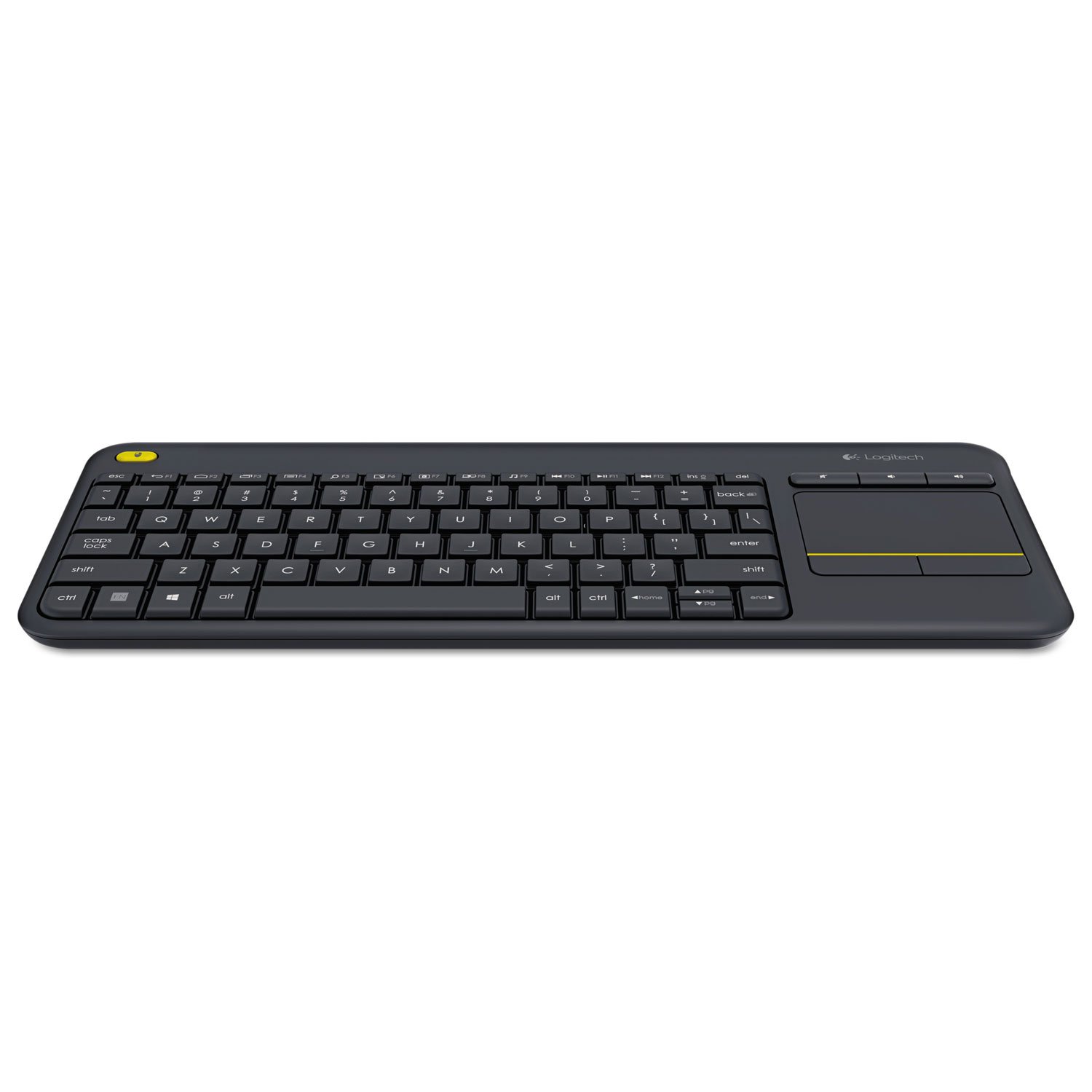
The Logitech K400 Plus is a wireless keyboard with a built-in touchpad, designed primarily for use with home theater PCs, smart TVs, or any media-focused setup where you need to type and navigate from a distance. It’s a straightforward device that prioritizes convenience over advanced features, and for many users, that’s exactly what’s needed. After spending a few weeks using it in a living room context, it’s clear that this keyboard fills a specific niche without trying to be everything to everyone.
In real-world use, the K400 Plus is most at home when paired with a device connected to a television. Typing a YouTube search, entering a Netflix password, or navigating a streaming interface becomes significantly easier than using a remote control’s on-screen keyboard. The integrated touchpad handles cursor movement and clicks, so you don’t need a separate mouse. The wireless connection via a USB nano receiver is reliable up to about 10 meters, which is sufficient for most rooms. The keyboard runs on two AA batteries, and Logitech claims up to 18 months of battery life—a claim that seems plausible given the low-power operation and the fact that the keyboard auto-sleeps after a few minutes of inactivity.
Key functional features include the touchpad with integrated left and right buttons (the entire bottom half of the pad clicks), a row of media shortcut keys (play/pause, volume, mute, and home), and a compact layout that drops the number pad to save space. The keys themselves are membrane-style with moderate travel and a slightly mushy feel, but they are quiet enough not to disturb others in the same room. The touchpad supports basic gestures like two-finger scrolling, though it’s not as responsive as a modern laptop touchpad—scrolling can feel a bit jerky at times.
However, there are clear trade-offs. The lack of a number pad means entering numerical data is slower, but that’s rarely a priority in a media context. More notably, the touchpad’s surface is small, and the cursor acceleration feels inconsistent. For precise tasks like selecting small links or editing text, you’ll find yourself swiping multiple times. This is not a tool for productivity work like document editing or spreadsheet navigation. The build quality is acceptable for the price point, but the plastic chassis feels a bit hollow, and the keyboard flexes slightly under heavier typing. The lack of backlighting is another omission—if you’re using it in a dimly lit room, you’ll need to rely on ambient light or memorized key positions.
Compared to an all-in-one remote with a keyboard on the back, like those from Roku or Amazon Fire TV, the K400 Plus offers a more traditional typing experience with a full keyboard layout. However, those remotes are often smaller and more integrated with the streaming device’s software. The K400 Plus is bulkier and requires a USB port, which may not be available on all smart TVs (some rely solely on Bluetooth or Wi-Fi). If your TV lacks a USB port, you’d need an adapter or a different input method. For a desktop or laptop replacement, a standard keyboard and mouse combo would be more efficient and comfortable for extended use.
Who is this keyboard for? It’s best suited for people who use a PC connected to a TV as a media center, or for those with a smart TV that supports a USB keyboard input. It’s also handy for occasional browsing on a large screen without needing a separate mouse. It is not suitable for heavy typing sessions, gaming that requires precise input, or users who want a compact, remote-like device. The K400 Plus is a functional, no-frills tool that does one job adequately: turning a TV into a more navigable computer-like display. It won’t impress with its build or features, but it will likely satisfy the basic need for wireless text entry and cursor control from the couch.
In summary, the Logitech K400 Plus is a practical, affordable solution for a specific use case. It has clear limitations—mediocre touchpad, no backlight, and a plasticky feel—but it delivers on its core promise of making TV-based computing more convenient. If your setup aligns with its strengths, it’s a worthwhile addition. If you need more versatility or precision, look elsewhere.