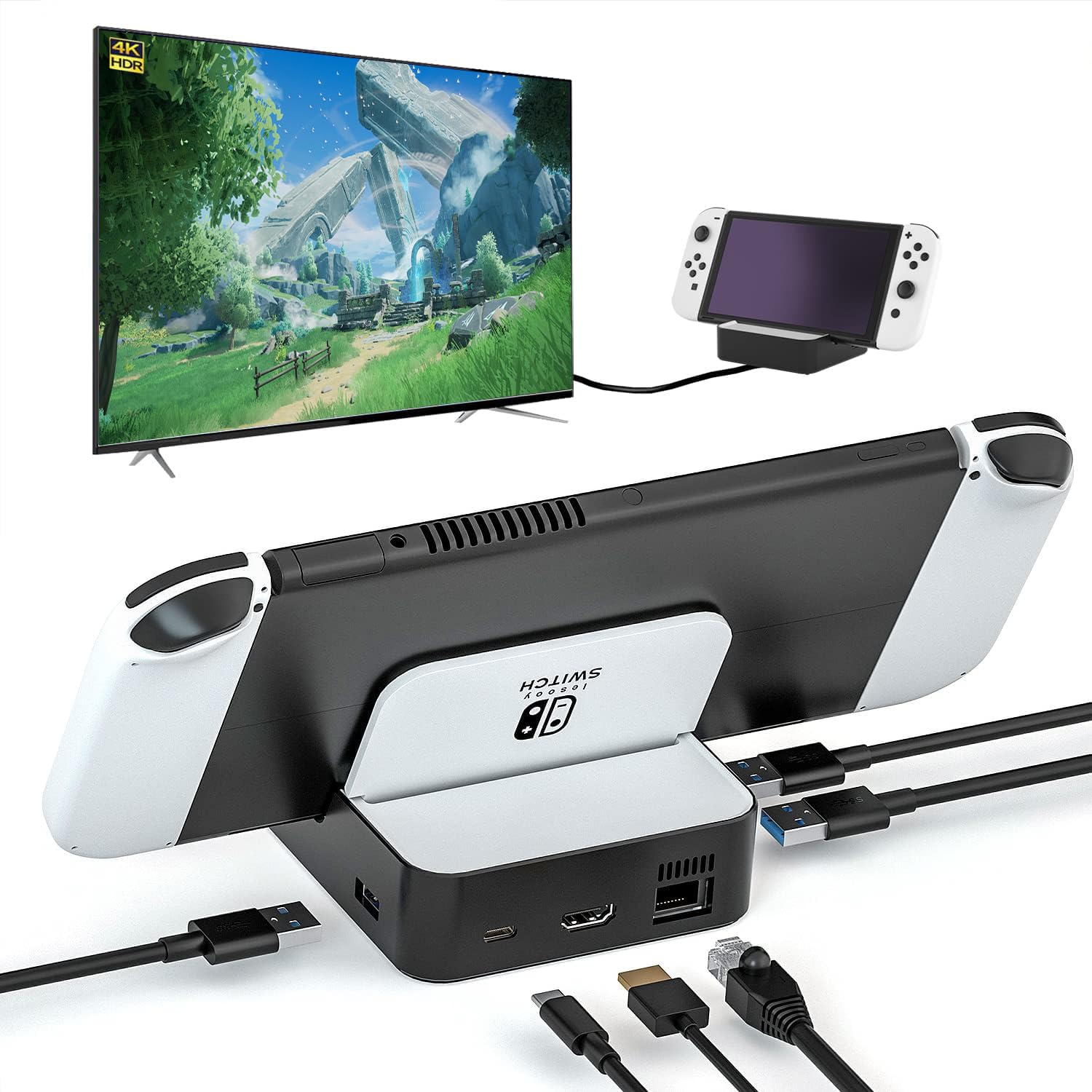
If you own a Nintendo Switch or Switch OLED, you’re likely familiar with the official dock that comes in the box. It works, but it’s bulky and offers limited ports. This third-party 6-in-1 TV docking station aims to change that by packing more connectivity into a smaller footprint. After using it for a few weeks as a secondary dock for travel and desk use, here’s how it actually performs in real-world scenarios.
The dock connects to your Switch via USB-C and provides five additional ports: an HDMI 2.0 output, a 100Mbps Ethernet jack, two USB-A 2.0 ports, one USB 3.0 port, and a 100W USB-C charging input. The HDMI 2.0 supports up to 4K resolution at 60Hz when used with a compatible display, though the Switch itself only outputs at 1080p when docked. That means the dock is future-proofed for other USB-C devices like laptops or tablets, which is a nice bonus. The 100W charging passthrough is generous—enough to power a MacBook Pro—but the Switch only draws about 15-18W, so the extra capacity goes unused unless you’re charging another device simultaneously.
Key features that stood out during testing:
- Compact size: The dock is roughly the size of a deck of cards, making it easy to slip into a bag or pocket. It’s significantly smaller than the official Nintendo dock, which is a major plus for travel.
- Ethernet stability: The 100Mbps Ethernet port provides a wired internet connection, which is more reliable than Wi-Fi for online gaming or streaming YouTube. It’s not gigabit, but 100Mbps is sufficient for Switch games and video streaming without noticeable lag.
- USB 3.0 speed: The USB 3.0 port is useful for connecting external storage or a wired controller, though the Switch’s OS limits file transfers. It’s faster than the USB 2.0 ports for data-heavy tasks like backing up screenshots to a flash drive.
- YouTube on TV support: The dock works seamlessly with the Switch’s YouTube app, letting you stream videos on a big screen. This is a handy feature if you use your Switch as a media player in a living room or hotel room.
Limitations to consider: The dock lacks an HDMI cable in the box, so you’ll need to supply your own. Also, the USB-A 2.0 ports are slower than USB 3.0, which might be a bottleneck if you’re connecting multiple peripherals. The build quality feels adequate but not premium—the plastic casing is light and slightly creaky when handled. There’s no official firmware update support, which means compatibility issues with future Switch system updates are possible, though third-party docks have generally improved in this area over the years.
Compared to the official Nintendo dock, this third-party option offers more ports and a smaller size at a lower price point—typically around $30 to $50, versus $60 to $90 for a used official dock. However, the official dock has a more robust build and guaranteed compatibility with Switch updates. If you’re considering a generic alternative like a USB-C hub with HDMI, those often lack dedicated Ethernet or passthrough charging, making this dock a more tailored solution for Switch users.
Who this is suitable for: Travelers who want a portable dock for hotel TVs or trips. Gamers who need a wired Ethernet connection for stable online play. People who use their Switch as a media device and want to stream YouTube or Hulu on a larger screen. It’s also a good fit for those who want to charge other USB-C devices like phones or laptops through the same hub.
Who might want to skip it: If you’re strictly a handheld player and never use docked mode, this adds no value. Those who prioritize build quality and long-term reliability may prefer the official Nintendo dock or a premium third-party option like the Skull & Co. Dock. Users who need gigabit Ethernet or faster USB ports for heavy data transfers will find the 100Mbps and USB 2.0 limits frustrating. And if you’re concerned about potential firmware issues, sticking with a licensed dock might give you more peace of mind.
In practice, this dock works as advertised for most everyday uses. It’s a practical upgrade over the official dock if you value portability and extra ports, but it’s not a flawless replacement. The Ethernet and USB 3.0 are welcome additions, while the slower USB 2.0 ports and plastic build remind you it’s a budget option. For the price, it’s a reasonable trade-off if you need a compact, multi-port dock for your Switch without breaking the bank.