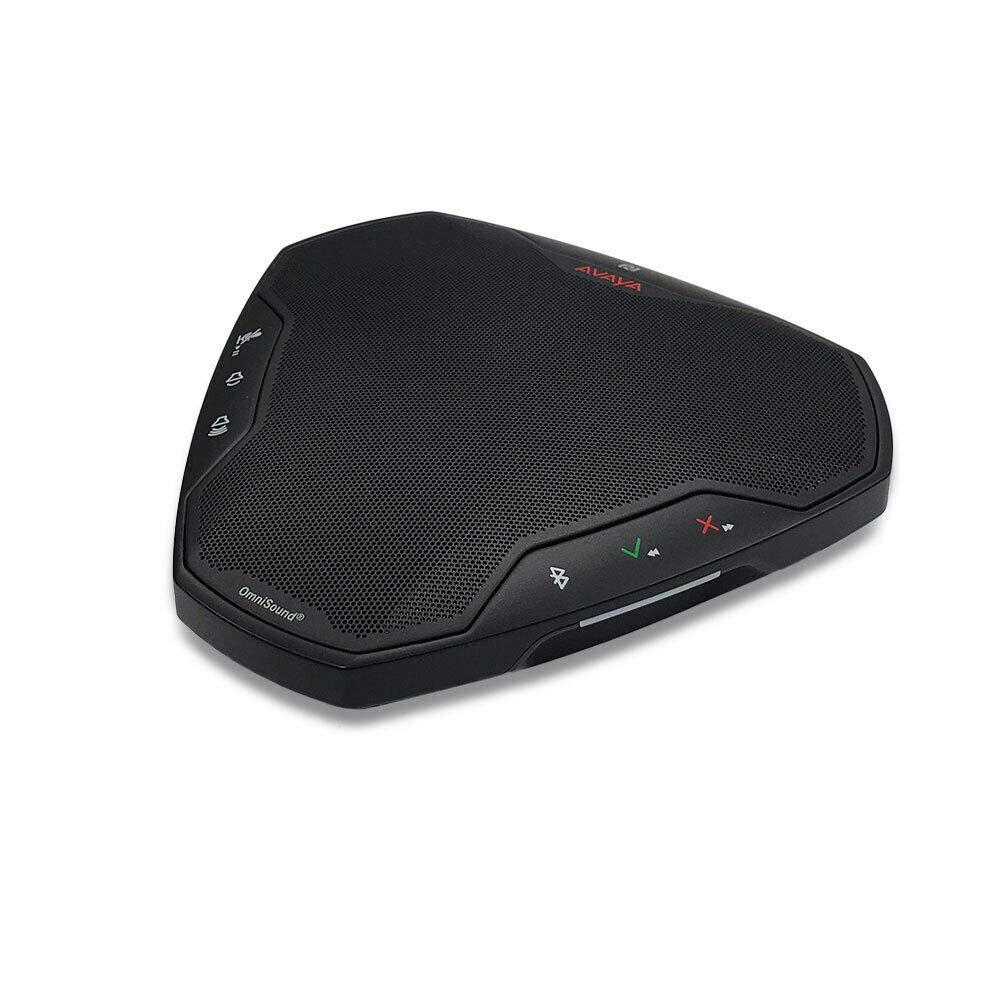
The Avaya B109 Conference Speaker is a device that tries to solve a specific problem: making conference calls in small rooms less awkward. It is not a flashy gadget or a high-end audio system. Instead, it is a focused tool for people who spend a fair amount of time on voice calls in huddle rooms, home offices, or at a desk. After spending a few weeks with it in a mix of real-world settings, here is how it actually performs.
Physically, the B109 is compact and unassuming. It is about the size of a thick paperback book, with a fabric-covered top and a simple button layout. The controls are tactile: volume, mute, and a call answer button. There is no touchscreen, no complex menu, and no app required for basic use. This simplicity is both a strength and a limitation. For someone who just wants to plug in and talk, it works. But if you expect deep customization or advanced features, you will be disappointed.
In terms of connectivity, the B109 offers both USB and Bluetooth options. The USB connection is straightforward on Windows and macOS; the system recognizes it as a speaker and microphone almost instantly. Bluetooth pairing is also reliable, though the range is typical for a device of this class—about 30 feet in open air. One limitation worth noting is that the Bluetooth connection does not support multipoint pairing. You cannot have it connected to your phone and laptop simultaneously. This means you have to manually switch between devices, which can be a minor annoyance if you frequently hop between calls on different platforms.
Audio quality is where the B109 shows its strengths and weaknesses. For voice calls, it is clear and intelligible. The three built-in microphones do a decent job of picking up a single speaker in a quiet room. In a small conference room with two or three people, it handles the conversation without too much trouble. However, in a noisier environment—say, a home office with a fan running or a cafe in the background—the microphone struggles to isolate voices. You will sound a bit distant to the far end. The speaker itself is adequate for a small space. It can fill a room of about 10 by 10 feet without distortion, but it lacks bass and volume for larger spaces. Music playback is passable but not enjoyable; this is clearly a voice-first device.
Compared to a typical laptop microphone and speaker, the B109 is a clear upgrade. Laptop speakers are often tinny and positioned poorly, while laptop microphones pick up every keyboard click. The B109 eliminates that problem. But compared to a dedicated conference room system like the Poly Sync 20 or the Jabra Speak 510, the B109 holds its own but does not stand out. The Poly Sync 20 offers better microphone pickup in noisy environments, and the Jabra Speak 510 has a slightly more natural sound for music. The Avaya B109 is a middle-ground option—competent but not exceptional.
One trade-off is the build quality. The B109 feels sturdy enough for desk use, but it is not rugged. The fabric top can collect dust and is not easy to clean. The lack of a carrying case or any travel-friendly design makes it less ideal for frequent travelers. It is clearly meant to stay in one place. Another limitation is the absence of a hardware mute indicator light that is visible from across the table. The mute button glows red when active, but it is small and easy to miss. This is a small but noticeable oversight for a conference speaker.
So, who should consider the Avaya B109? It is suitable for remote workers or small office teams who need a reliable, no-fuss speaker for daily voice calls. It works well in quiet, small rooms where one or two people are speaking. It is also a decent option for anyone who is already using Avaya phones or software, as the integration is seamless. However, it is not suitable for large conference rooms, noisy environments, or users who need multipoint Bluetooth. It is also not for people who want to play music through their conference speaker or who need a portable device for travel. For those use cases, look at the Jabra Speak series or the Poly Sync line.
Ultimately, the Avaya B109 Conference Speaker does what it sets out to do: it improves call quality in small spaces without adding complexity. It is not a revolution in audio, but it is a practical tool that works. If your needs align with its strengths, it is a solid choice. If they do not, you will likely find its limitations frustrating.